


Learn Drum - Pad & Beat Maker
4.4272.00 Reviews
App Specs
- Version
- 1.0.56
- Updated On
- License
- Free
- Downloads
- 10,000,000+
- Developer
- WorkPlay Space
- Categories
- Music & Audio
- Platform
- Android
Screenshots
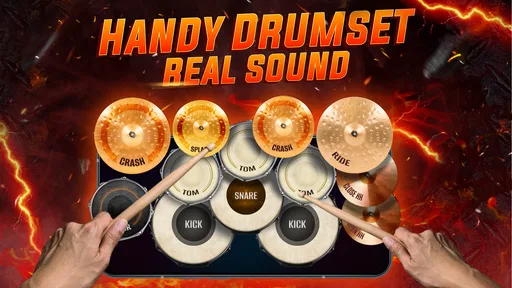
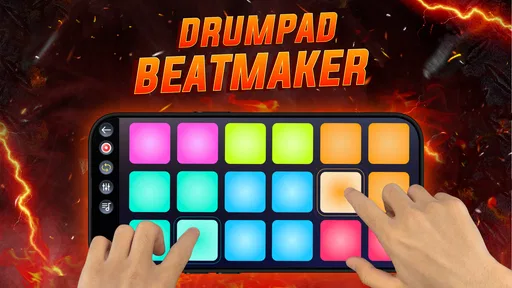

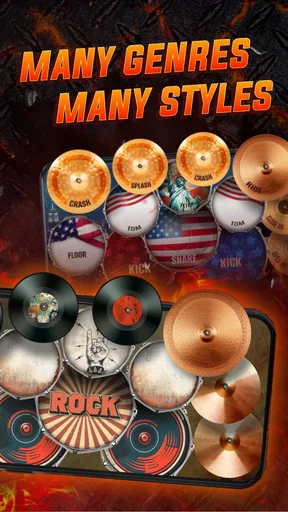
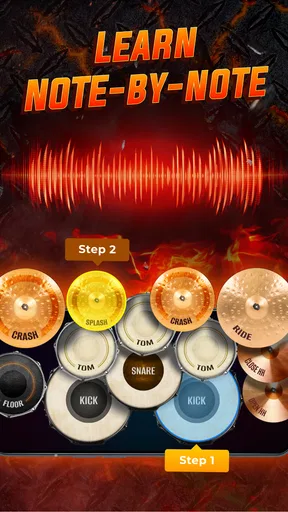
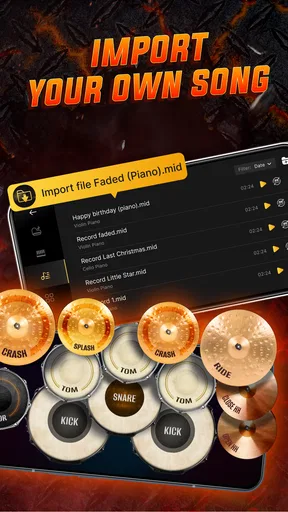
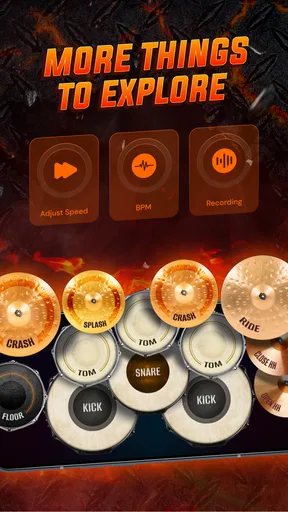
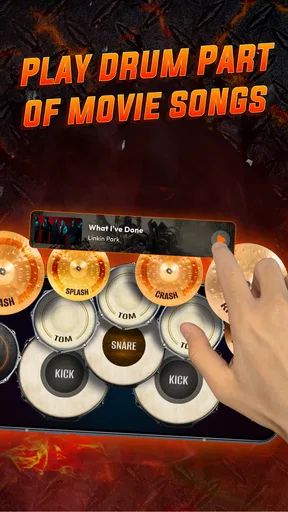
 Analysis by AppCompare
I approached Learn Drum - Pad & Beat Maker as a quick music-making tool rather than a replacement for a full electronic drum kit. That distinction matters. This free Music & Audio app from WorkPlay Space is built around tapping, experimenting, and recording, so it makes the most sense when I want to sketch a rhythm without setting up equipment or opening a complicated workstation. It is available for Everyone and runs on Android 8.0 or later, which makes it accessible to a wide range of phones and tablets.
After spending time with it, my impression is straightforward: this is an approachable drum simulator and beat maker for casual practice, playful composition, and quick rhythm ideas. It does not try to turn a phone into a professional studio. Instead, it keeps the basic interaction close to the surface: open the app, tap pads, build a beat, and capture the result. The strongest reason to use it is convenience, especially when the alternative is carrying hardware or learning a much denser music-production app.
How the current version feels in everyday use
The current release is version 1.0.56, and the app has already reached over ten million installs with an average rating of 4.4 from around eighteen thousand ratings. Those figures suggest that its appeal is broad rather than limited to experienced drummers. I can see why: the basic idea is easy to understand even if someone has never used a pad controller before.
The first useful habit is to treat the screen as a sketchpad. I do not begin by trying to create a complete song. I start with a simple pulse, add a kick-like hit, place a snare-style accent, and then test a few faster taps for movement. This approach keeps the learning curve gentle. The app is more enjoyable when I focus on timing and feel instead of expecting a finished production immediately.
A realistic everyday scenario would be waiting for a bus or taking a short break between tasks. I can use that spare time to tap out a rhythm I heard earlier, record the idea, and return to it later. That workflow is more valuable than it may sound. Many musical ideas disappear because opening a full desktop setup feels like too much effort. A compact drum app lowers that barrier.
It is also useful for beginners who want to understand how different rhythmic roles fit together. Rather than reading about beats in the abstract, I can hear what happens when the main pulse stays steady while another hit changes position. That hands-on feedback makes rhythm easier to grasp. Parents, younger learners, and curious listeners may find this more inviting than a formal lesson app.
Still, tapping on glass has limits. A phone screen does not provide the physical rebound or spacing of real drum pads, and fast patterns can become awkward when my fingers cover part of the interface. I get the best results by using deliberate taps and keeping patterns simple. Someone looking for serious finger-drumming technique should use a physical controller or acoustic kit instead.
Worth Reading Before You Choose

Switching to Android Auto Means Rethinking Your Driving Routine

Google Calendar Makes a Crowded Week Easier to Manage

Baby Panda World Brings Quick Play to Modern Phones, but Its Game Library Feels Busy

ESPN’s Live Game View Makes Following Close Games Easier

QuizzLand Review: A Good Fit for Short Trivia Breaks, Not Every Player

Basketball Stars: Multiplayer Is Fast, but Can It Recover When Matches Go Wrong?
What has changed for the product’s direction
The release history gives the app a useful sense of maturity without making it feel like a finished professional platform. It first appeared on September 21, 2023, and the current version indicates ongoing maintenance. I would read that as a positive sign for existing users: the project is still being carried forward, rather than left as a one-time experiment.
At the same time, version information alone should not be mistaken for a promise of a major redesign. What I can judge today is the present experience: a focused drum simulator with beat-making and audio-recording purposes. I would expect future progress to matter most in areas such as smoother touch response, clearer recording workflows, and better support for people who want to develop an idea beyond a short loop. Those are sensible areas to watch, but they should remain expectations rather than assumptions about what is already included.
The app’s simple identity is actually one of its better product decisions. Many music apps overwhelm new users with tracks, mixers, effects, piano rolls, and project menus before they have made a single sound. Here, the central action is much easier to understand. I can experiment immediately, which is especially helpful when the goal is learning basic coordination rather than producing a polished release.
One practical tip is to record several short attempts instead of chasing one perfect take. With touch-based drumming, the first version often captures the most natural energy, while later attempts may become stiff because I am concentrating too hard. Short recordings also make it easier to compare a straight beat with a more syncopated variation. This turns casual tapping into a small but useful practice routine.
Who benefits most after installing it
I would recommend it first to beginners, casual beat makers, and people who want a low-pressure way to explore drums. It is also a sensible companion for songwriters who need a temporary rhythmic foundation before moving to another tool. I can imagine using it to test whether a chorus feels better with a sparse pulse or a busier pattern, then rebuilding the chosen idea elsewhere with more precise controls.
It may also suit listeners who want to become more active with music. Instead of only consuming songs, I can use the pads to understand where accents sit and how repetition creates momentum. That makes the app more educational than its minimal interface might suggest. The learning comes from listening closely to the result and adjusting one element at a time.
Another non-obvious use is rehearsal for arrangement decisions. I can record a basic rhythm, listen to it away from the app, and ask whether it leaves enough space for vocals or another instrument. This is a better test than endlessly adding sounds. A beat that feels exciting alone may crowd a song, while a simpler pattern can support it more effectively.
Users should also consider the device itself. Android 8.0 compatibility makes the app broadly reachable, but the experience will still depend on screen size, touch responsiveness, speaker quality, and headphones. On a small phone, two-handed playing may feel cramped. A larger display can make simultaneous taps easier, although it still will not reproduce the feel of dedicated hardware.
The app is free to install, with in-app purchases ranging from $3.99 to $16.99 per item. That makes it easy to try before deciding whether the available experience justifies spending money. I would advise new users to spend time with the free portion first and ask a simple question: am I using this often enough to value additional paid content or functions? If the answer is no, there is little reason to rush into a purchase.
Where it falls short compared with familiar alternatives
Compared with a full digital audio workstation, this app is faster to start but much narrower in scope. A workstation usually offers more detailed editing, layered arrangements, mixing controls, automation, and export-oriented workflows. If I need to build a song from several instruments or correct timing note by note, I would choose that kind of software instead.
Compared with a dedicated drum-learning app, this one appears better suited to free exploration than structured education. A lesson-focused alternative may provide guided exercises, progressive timing challenges, notation, or feedback designed around technique. Here, I have to create my own practice plan. That freedom is comfortable, but it also means beginners who need instruction may have to supplement the app with another resource.
Compared with physical pads, the main trade-off is tactile control. Hardware gives each hit a separate surface, more reliable spacing, and often a stronger sense of dynamics. The phone wins on portability and price, but not on playing confidence. I would use this app to capture ideas and develop basic coordination, not to judge whether I am ready for a live performance.
Recording is another area where expectations should stay realistic. The ability to capture audio is useful because it preserves a spontaneous idea, but recording a performance is not the same as producing a finished track. I would keep the recording as a reference, then move to a more capable editor if I needed trimming, layering, balancing, or detailed cleanup. That two-step workflow is more practical than forcing one lightweight app to do everything.
There is also a creative limitation in simplicity. A small set of direct interactions can encourage focus, but it can eventually feel restrictive to advanced users. Once I know exactly what rhythm I want, I may want finer control over timing, sound selection, or arrangement. If those details become central to the project, the app has done its job as a starting point, and it is time to graduate to a more specialized option.
Small techniques that make the experience better
My first recommendation is to build from the pulse outward. I tap the main beat until it feels steady, then add one contrasting hit. Only after that do I introduce fills or faster patterns. This prevents the common beginner problem of creating a busy rhythm with no clear center. It also makes it easier to identify which tap is causing a pattern to feel unstable.
My second recommendation is to use headphones when checking a recording. Phone speakers can make a rhythm seem flatter or less separated than it really is. Headphones help me notice whether accents are landing together and whether a pattern has enough space. This is particularly useful when comparing two versions that differ by only a few taps.
Third, I would name or otherwise organize recordings mentally by purpose, even if the app’s own workflow is simple. For example, I might make one take for a verse idea, another for a chorus, and a third for a transition. The point is not formal project management; it is avoiding a pile of similar recordings that become difficult to recognize later. A short note outside the app can be enough.
Fourth, I would deliberately practice with fewer taps than feels natural. Leaving space reveals whether the rhythm itself works or whether constant activity is hiding weak timing. This is a useful exercise for songwriting because vocals and melodies need room. A sparse pattern can also be easier to reproduce later in another music tool.
Finally, I would test the app in both portrait and landscape orientations if the device allows a comfortable change. The best arrangement depends on hand position and screen width. On a small phone, one orientation may make individual pads easier to reach; on a tablet, the other may offer a more relaxed two-handed layout. The important point is to adapt the setup rather than assume the default is ideal for every player.
What existing users should keep in mind
For someone already using the app, the current version is a reason to keep checking for updates, but not a reason to rebuild an entire music workflow around unconfirmed future improvements. I would keep important recordings backed up in another way whenever possible. A lightweight mobile tool is excellent for quick ideas, yet a serious project deserves a second home in a more dependable editing or storage workflow.
Existing users may also get more from the app by changing their goal. If every session is judged by whether it produces a complete song, frustration will arrive quickly. If the goal is to practice timing, test an arrangement, or preserve a rhythmic thought, the experience becomes more rewarding. That shift costs nothing and makes the app’s simplicity work in its favor.
People considering an upgrade should evaluate frequency of use rather than the size of the purchase alone. The paid items sit between $3.99 and $16.99, so the sensible decision depends on whether the app has become part of a regular creative routine. I would not pay simply because an option exists. I would pay only if it removes a limitation I encounter repeatedly and improves the way I actually make beats.
What I would watch as the app evolves
The most important future question is whether the product can preserve its approachable tapping experience while giving returning users more room to grow. Better accessibility for beginners should not be lost beneath advanced controls. Ideally, future development would make recording and revisiting ideas clearer without turning the first session into a technical lesson.
I would also watch how well the app serves the transition from sketch to finished idea. The strongest mobile music tools understand that users often begin with a spontaneous loop and later want to refine it elsewhere. Anything that makes that handoff clearer would increase the app’s practical value, while unnecessary complexity could weaken its biggest advantage.
For now, I see Learn Drum - Pad & Beat Maker as a friendly entry point, not a complete studio. Its free starting point, Everyone age rating, and broad device compatibility make it easy to approach, while its recording function gives casual experiments a useful purpose. The app is best when I want immediate rhythm-making without cables, lessons, or a crowded production interface.
I would skip it if my priority is professional mixing, detailed drum programming, formal technique training, or realistic hardware response. In those situations, a workstation, lesson platform, or physical controller will be a better investment. But for a beginner who wants to tap out ideas during a spare moment, a songwriter testing rhythm choices, or anyone curious about making beats on a phone, I think it is worth trying. Its real strength is turning a few free minutes into a practical musical experiment.
Pros
- Beginner-friendly layout makes basic beat creation easy to understand.
- Includes multiple drum sounds for experimenting with different musical styles.
- Pads respond quickly
- making live tapping and rhythm practice feel natural.
- Useful for sketching song ideas without needing a full music production setup.
- Compact interface works well for short practice sessions on mobile devices.
Cons
- Advanced users may find the sequencing and editing tools somewhat limited.
- Sound quality can depend heavily on your phone or tablet’s speakers.
- Frequent tapping may feel cramped on smaller smartphone screens.
- Some features or sound packs may require in-app purchases.
- Creating polished
- full-length tracks may take considerable manual effort.
FAQs for Learn Drum - Pad & Beat Maker
What is Learn Drum - Pad & Beat Maker, and who is it designed for?
Learn Drum - Pad & Beat Maker is a mobile music app that combines drum lessons, virtual drum pads, and beat-making tools. It is designed for beginners who want to understand basic rhythms, practice timing, and experiment with percussion sounds without owning a physical drum kit. More experienced users may also enjoy it for quickly sketching ideas and practicing patterns anywhere.
Can beginners learn to play drums with this app?
Yes, the app can be useful for beginners because it provides an accessible way to explore drum sounds, rhythm patterns, and basic playing techniques. However, it should be considered a practice and introduction tool rather than a complete replacement for a teacher or acoustic drum set. Progress will depend on regular practice, listening carefully to timing, and gradually attempting more complex rhythms.
Does Learn Drum - Pad & Beat Maker work without an internet connection?
Some features may remain available offline after the application and its required content have been installed, particularly basic pad playing and previously downloaded lessons or sounds. Nevertheless, internet access may be necessary for downloading additional material, receiving updates, loading advertisements, or accessing online features. Availability can also vary by device and app version, so users should check the current requirements before relying on it offline.
Can I create and save my own drum beats?
The app is intended to let users tap virtual drum pads and build rhythmic patterns, making it suitable for experimenting with beats and short musical ideas. Depending on the version, saving, exporting, sharing, or accessing advanced editing options may be limited or connected to premium features. Before downloading, users who need professional audio export or detailed track editing should confirm exactly which creation tools are included.
Is Learn Drum - Pad & Beat Maker free to download and use?
The application may be available as a free download, but free access can include advertisements, locked lessons, restricted sound packs, or limits on certain beat-making functions. Optional purchases or subscriptions may unlock additional content and remove limitations. It is recommended to review the store listing and in-app purchase details before starting, especially if the app will be used by children or on a shared device.


